
Clear Choice Picks may earn a commission when you buy through certain links on this page. Our recommendations are based on practical fit, not commission.
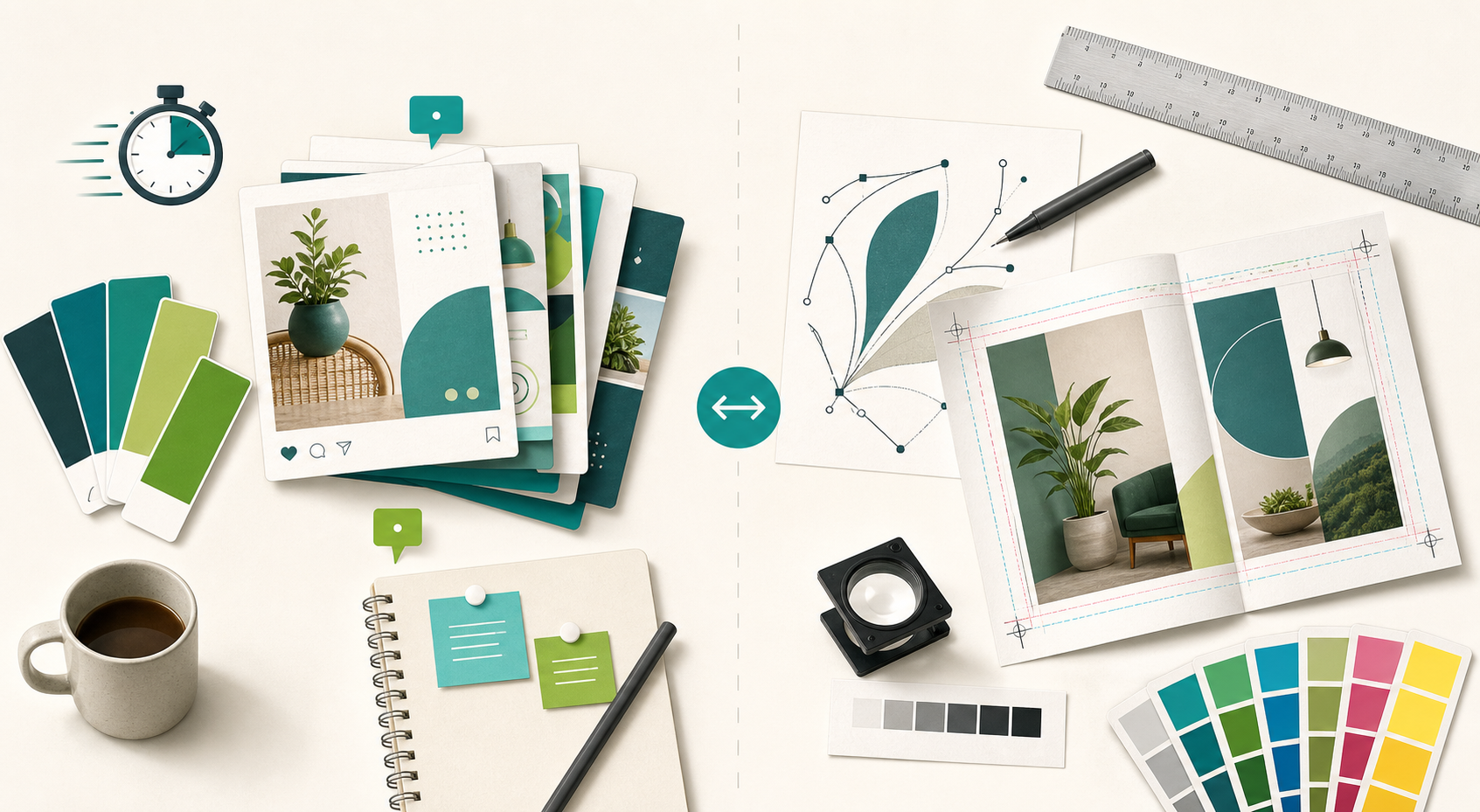
Canva and CorelDRAW can both help a small business create professional-looking graphics, but they are designed around different kinds of work.
Canva is the better default for most owners, marketers, and small teams that need to create recurring content quickly. Its template-first workflow, shared brand tools, and real-time collaboration make it easier for non-designers to produce social graphics, presentations, ads, and other everyday marketing assets.
CorelDRAW is the stronger choice when the business needs precise vector illustration, detailed page layout, broad file compatibility, or professional print output. It asks more from the user, but it also provides much deeper control for logos, signs, packaging, apparel graphics, multi-page layouts, and production-ready artwork.
The right choice depends less on which product has more features and more on what your business creates every week.
CorelDRAW vs Canva at a glance
| Decision factor | Canva | CorelDRAW Graphics Suite |
|---|---|---|
| Best for | Fast marketing content and team reuse | Professional vector, layout, and print work |
| Learning curve | Easier for non-designers | Steeper, with more precise controls |
| Starting workflow | Templates and drag-and-drop editing | Blank-canvas or production-oriented design |
| Collaboration | Strong shared brand, template, commenting, and approval tools | Better suited to designer-led production workflows |
| Vector work | Useful for simpler vector outputs and SVG export | Advanced vector creation, editing, tracing, and typography |
| Print production | Supports print-ready exports on eligible plans | Strong page layout, color, file-format, and production controls |
| Pricing approach | Free, Pro, Business, and Enterprise plans | Monthly, annual, maintenance, and one-time-purchase options |
| Best small-business fit | Owners, marketers, assistants, and distributed teams | Designers, print shops, sign makers, and product businesses |
Choose Canva if speed and consistency matter most
Canva is usually the more practical choice when several people need to create acceptable, on-brand material without becoming professional designers.
The current Canva Business plan emphasizes shared brand assets, reusable templates, team administration, design approvals, and real-time collaboration. Canva says its Brand Kit can store logos, fonts, colors, imagery, and other brand elements, while Brand Templates can lock key choices into reusable layouts. That is useful when an owner or designer wants other team members to create routine graphics without rebuilding the brand every time.
Canva is a strong fit for:
- social posts and ads;
- simple presentations and one-page documents;
- recurring email and blog graphics;
- quick resizing for different social channels;
- basic video and short-form content;
- teams that need comments, approvals, and shared templates;
- solo creators who prefer a guided, template-first workflow.
Its biggest advantage is not that every design tool is simple. It is that many common business tasks start with a usable structure. A non-designer can choose a format, adapt a template, apply brand assets, and export the result without first learning a full professional graphics application.
That speed comes with a tradeoff. Canva can export PDF, SVG, PNG, and JPG files, but a template-first environment is not the same as a production-focused vector application. Complex logos, detailed path editing, specialized print work, and unusual file handoffs may eventually require a deeper tool.
Choose CorelDRAW if precision and production control matter most
CorelDRAW Graphics Suite is built for more demanding design and production work.
Corel describes the suite as a professional toolbox for vector illustration, page layout, image editing, typography, web output, and print output. The current product family includes CorelDRAW for vector and layout work, Corel PHOTO-PAINT for bitmap editing, Corel Font Manager, and PowerTRACE for bitmap-to-vector tracing.
The software is a stronger fit when the business creates:
- original logos and detailed vector illustrations;
- signs, vehicle graphics, or apparel artwork;
- packaging and print-ready marketing materials;
- multi-page brochures or publications;
- files that must move between professional design and production systems;
- custom layouts that cannot be reduced to a reusable template.
CorelDRAW also provides page-size, grid, guideline, bleed, and layout controls that matter in print-oriented work. Corel’s current product comparison highlights broad file compatibility, professional print output, and integrated Pantone color-library access.
The tradeoff is time. A small business can do more precise work in CorelDRAW, but someone must learn the tools, maintain the files, and make the production decisions. If the actual need is three social graphics each week, that added control may create more friction than value.
Ease of use: Canva wins for most non-designers
Canva is easier to recommend when the person creating graphics is also handling sales, operations, customer service, or content.
Its templates and guided controls shorten the distance between an idea and a usable asset. The interface encourages quick iteration, reuse, and collaboration. That makes it especially practical for recurring work with a known format.
CorelDRAW is not difficult merely for the sake of being professional, but it exposes more decisions. Users work with objects, nodes, curves, typography, color, pages, output settings, and file formats at a deeper level. That control is valuable only when the work needs it.
Winner for ease of use: Canva
Vector design and logo work: CorelDRAW wins
Canva can support simple logo layouts, brand graphics, and SVG export on eligible workflows. It is a useful environment for assembling brand elements and creating many variations quickly.
CorelDRAW is the better choice when the artwork itself must be built and refined as vector geometry. It provides professional vector illustration, node editing, tracing, typography, page layout, and output controls in one production-oriented suite.
For a business that regularly creates signs, packaging, apparel, or original logos, CorelDRAW’s extra learning curve is easier to justify.
Winner for vector control: CorelDRAW
Collaboration and brand reuse: Canva wins
Canva’s current business features are explicitly built around shared brand assets, templates, folders, approvals, comments, and real-time co-design.
That matters because many small-business design problems are really consistency problems. The owner has the correct logo, one employee uses an old version, another chooses a different green, and every recurring social post starts from scratch.
A shared Brand Kit and locked template can reduce that drift.
CorelDRAW can fit a collaborative production process, especially when a designer owns the master files, but Canva is the easier operating system for distributed, non-specialist content creation.
Winner for small-team collaboration: Canva
Print and production work: CorelDRAW wins
Canva supports useful PDF and print-ready export capabilities, depending on the plan and workflow. It can handle many ordinary flyers, cards, signs, and simple documents.
CorelDRAW is better suited to businesses where print production is part of the core service. Its current suite emphasizes page layout, drawing scale, bleeds, professional color resources, typography, and broad file-format support.
If a printer, sign shop, apparel vendor, or packaging supplier is a routine part of the workflow, ask which formats and specifications they expect before choosing the design platform.
Winner for print production: CorelDRAW
Pricing and licensing
Pricing was checked on July 29, 2026 and can change.
Canva’s U.S. pricing page listed:
- Canva Free at $0;
- Canva Pro at $144 per year for one person;
- Canva Business at $250 per year per person;
- Canva Enterprise with custom pricing.
Canva says Business is intended for individuals and teams that need expanded brand management, collaboration, administration, and AI allowances.
CorelDRAW Graphics Suite offered monthly subscription, annual subscription, license-with-maintenance, and one-time-purchase paths. The exact price displayed can vary by location and promotion, so compare the current options on the destination page. Corel notes that a one-time license does not include every subscriber-only feature or future operating-system support.
Do not compare only the sticker price. Include:
- the number of users;
- training time;
- template or asset requirements;
- outside designer or print-vendor costs;
- the cost of recreating files if the workflow changes;
- whether the business needs ongoing updates or can keep a fixed version.
Three practical small-business scenarios
1. A solo consultant publishing weekly content
Choose Canva.
The main job is likely creating blog images, LinkedIn graphics, lead-magnet pages, and presentation slides. Speed and reuse matter more than advanced vector control.
2. A sign, apparel, or print-oriented business
Choose CorelDRAW.
The work requires precise vectors, production files, custom sizing, and reliable handoff to equipment or vendors. A professional design workflow is part of the product being delivered.
3. A growing company with one designer and several marketers
Consider using both.
The designer can create master logos, illustrations, and production artwork in CorelDRAW. The marketing team can use approved exported assets inside Canva templates for recurring social and campaign content.
Using two tools is justified only when ownership is clear. Decide which system stores master artwork, which files are approved for reuse, and how updates move into shared templates.
Our recommendation
For most small businesses, start with Canva. It solves a wider range of everyday marketing tasks with less training and makes brand consistency easier for non-designers.
Choose CorelDRAW Graphics Suite when precise vector work, professional print output, custom layouts, or production file compatibility are recurring business requirements—not occasional edge cases.
If you are unsure, collect five examples of the graphics your business created during the last month. Then ask:
- Were they mostly recurring marketing formats?
- Did several people need to edit or approve them?
- Did a printer, fabricator, or production vendor specify file requirements?
- Did the work require original vector drawing or only assembling existing assets?
The answers usually make the better fit clear.
Frequently asked questions
Is CorelDRAW better than Canva?
CorelDRAW is better for advanced vector illustration, page layout, print production, and designer-led workflows. Canva is better for fast marketing content, templates, collaboration, and brand reuse by non-designers. Neither is universally better.
Can Canva replace CorelDRAW?
Canva can replace CorelDRAW for many recurring marketing tasks, but it is not a direct replacement for professional vector, layout, tracing, typography, and production workflows.
Can a small business use both?
Yes. A designer can maintain master artwork in CorelDRAW while the broader team uses exported brand assets in controlled Canva templates. Define file ownership so the two systems do not create conflicting versions.
Does CorelDRAW require a subscription?
No. Corel currently offers subscription, license-with-maintenance, and one-time-purchase options. Features, updates, support, and AI-credit terms differ by purchase type.
Is Canva free for business use?
Canva offers a free plan, but premium assets, advanced brand tools, resizing, collaboration, storage, and other capabilities vary by plan. Review the license for any asset you intend to use commercially.
Related Clear Choice Picks guides
- Best Graphic Design Tools for Small Business
- Best Logo Design Tools for Small Business
- Start Here: Choose Tools for Your Business Stage
- Browse the Best Tools directory
Editorial methodology and official sources
Clear Choice Picks compared the products for common small-business workflows: ease of use, reusable branding, collaboration, vector control, print and production work, output formats, and purchasing flexibility. Product details and pricing were checked July 29, 2026.
Official sources: